
Wireless Receiver
A receiver that converts a compatible AbleNet Beamer wireless transmitter into a standard switch output for controlling one device or switch interface.
Suitable for
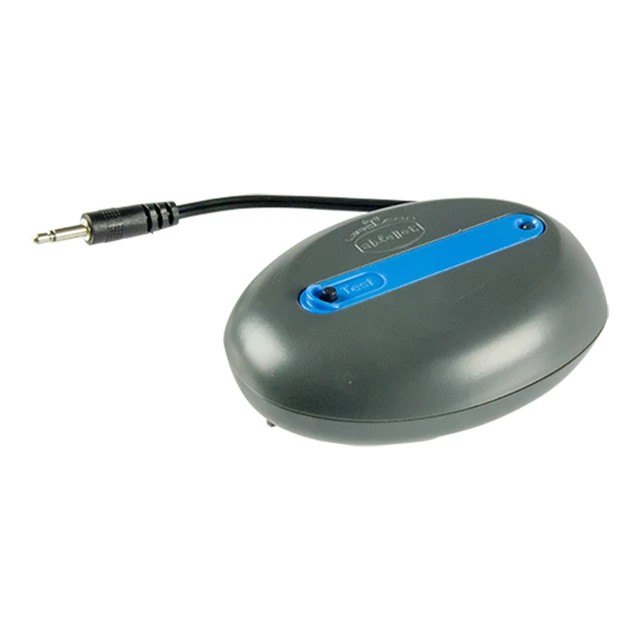
The Wireless Receiver in brief
The AbleNet Wireless Receiver is the companion receiver for the Jelly Beamer Transmitter and Big Beamer Transmitter. It functions like a traditional switch output: connect the receiver to a compatible single device or computer switch interface, then activate the paired wireless transmitter to send the switch command without a cable between the user and the equipment. Batteries are included. The receiver requires a compatible AbleNet Beamer transmitter to provide the user input.
Why teams choose the Wireless Receiver
Completes a wireless switch setup
Receives activation signals from a compatible AbleNet Beamer transmitter and passes them to the connected device.
Works like a traditional switch output
Plug the receiver into a compatible single device or computer switch interface and use the paired transmitter for activation.
Supports computer switch interfaces
Can be used with compatible computer-access interfaces as well as other single switch-controlled equipment.
Batteries included
Supplied ready for battery-powered use as part of an AbleNet wireless switch-access system.
Quick facts
Compatible transmitters
Jelly / Big Beamer
Use
Single device or interface
Power
Batteries included
Transmitter required
Yes
Every supply includes assessment, set-up, personalisation and training by our specialists. Unsure between options? Start with the condition or book a free consultation.
Is this right for you?
Users who need a wireless single-switch setup using a Jelly Beamer or Big Beamer transmitter. The receiver is particularly useful when the controlled device or computer interface needs to remain separate from the user's switch position and running a physical cable would be inconvenient.
Related products
See the Wireless Receiver in person
Book a free demonstration or arrange a trial. Our specialists will match the set-up to the person who will use it.